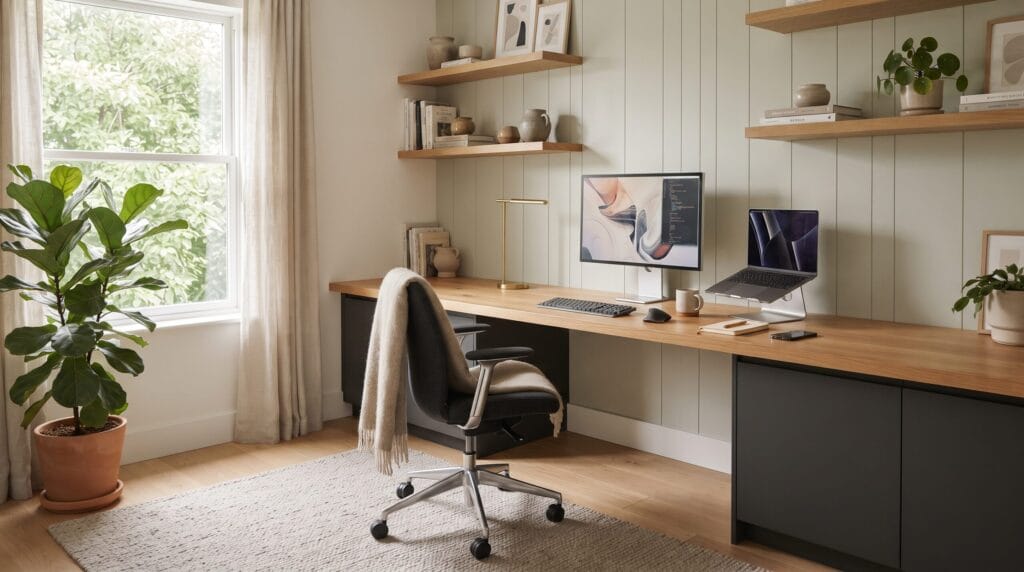
A well-designed home office should help you focus without making you uncomfortable after a few hours. The best home office design ideas balance productivity, ergonomics, lighting, storage, technology, and visual calm so the workspace supports real work rather than simply looking good in photos.
Many home offices underperform because the desk is placed in the wrong location, the chair does not support the body, lighting causes glare, cables create clutter, or storage is scattered across the room. These problems may seem small, but together they can make work feel more tiring and distracting.
A productive office also needs to match the type of work you actually do. Someone who spends most of the day in video meetings needs different lighting and background planning than someone who sketches, writes, edits video, manages spreadsheets, or handles physical documents. The most useful workspace is built around daily tasks.
This guide shares 20 practical home office design ideas for dedicated rooms, small apartments, corners, and multipurpose spaces. You will also find desk and chair guidance, lighting strategies, storage solutions, color palettes, budget priorities, common mistakes, and a final checklist for creating a workspace that feels both comfortable and efficient.
What Makes a Home Office Productive and Comfortable?
A strong home office usually combines several fundamentals.
Ergonomic Support
The chair, desk, monitor, keyboard, and mouse should support a comfortable working position.
Good Lighting
Natural light, task lighting, and ambient lighting should work together without creating glare.
Clear Storage
Frequently used items should be easy to reach, while visual clutter stays contained.
Technology That Fits the Work
Monitor placement, charging, cables, and connectivity should be planned instead of added randomly.
Visual Calm
A controlled color palette and edited surfaces reduce distraction.
Personal Comfort
Temperature, acoustics, greenery, and texture can make long work sessions easier.
How to Plan Home Office Design Ideas Before Buying Furniture
Start with function rather than style.
List Your Daily Tasks
Ask whether you regularly need space for:
- Laptop work
- Multiple monitors
- Video calls
- Writing
- Drawing
- Printing
- Filing
- Packaging
- Reading
- Client meetings
Measure the Room
Record:
- Available wall length
- Window placement
- Door swing
- Electrical outlets
- Internet access
- Storage depth
- Main walkway
Prioritize Comfort
A beautiful desk is not useful if it is too shallow, too high, or difficult to sit at for long periods.
1. Place the Desk Where Natural Light Helps
One of the most important home office design ideas is choosing the desk position carefully.
Best Approach
Place the desk where daylight is available without shining directly into your eyes or reflecting strongly on the screen.
Common Options
- Perpendicular to a window
- Near a side window
- Facing into the room with daylight from one side
Why It Works
Balanced natural light can make the workspace feel more pleasant and reduce dependence on harsh overhead lighting.
2. Choose a Desk With Enough Depth
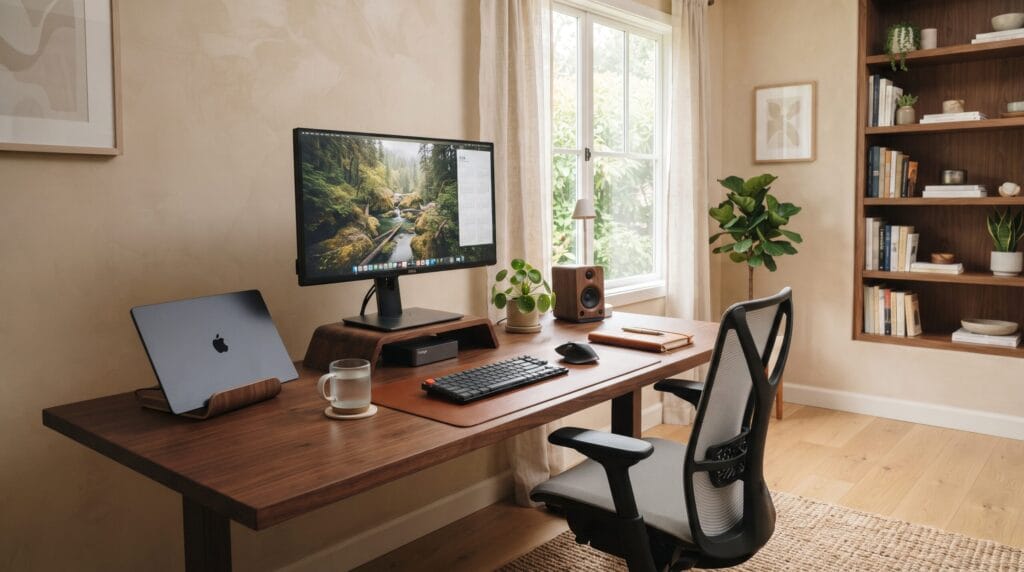
A desk should fit the equipment you actually use.
Consider
- Monitor size
- Keyboard
- Laptop
- Notebook
- Mouse
- Speakers
- Docking station
Avoid
Very shallow desks when using large monitors.
Why It Works
More usable depth creates better screen distance and reduces surface crowding.
3. Use an Ergonomic Office Chair
Comfort is a core part of effective home office design ideas.
Look For
- Adjustable seat height
- Lumbar support
- Supportive backrest
- Appropriate seat depth
- Adjustable armrests where useful
Test the Chair
A chair that looks attractive may not suit your body or workday.
Why It Works
A supportive chair can reduce discomfort during long periods of seated work.
4. Set the Monitor at a Comfortable Height
Screen position affects posture.
General Goal
The monitor should be positioned so you are not repeatedly looking sharply down or twisting the neck.
Use
- Monitor arm
- Monitor stand
- Laptop stand with external keyboard and mouse
Why It Works
A better screen position can encourage a more neutral working posture.
5. Add a Dedicated Task Lamp
A task lamp is useful even in a bright room.
Best For
- Reading
- Writing
- Sketching
- Detailed work
- Evening sessions
Choose
A lamp with adjustable direction.
Why It Works
Focused light lets you illuminate the work surface without brightening the entire room.
6. Layer Ambient Lighting
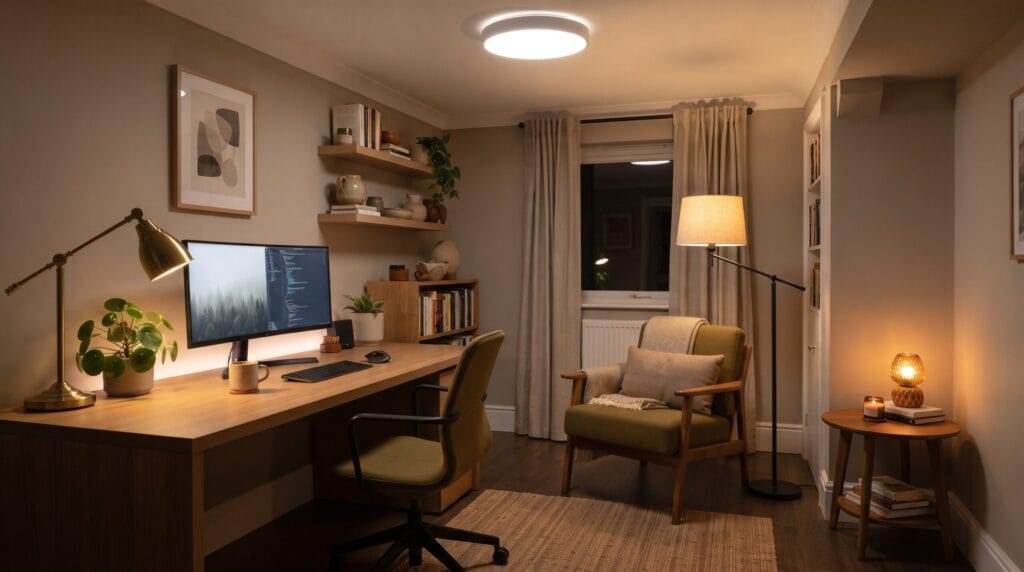
One ceiling fixture is rarely enough for comfortable home office design ideas.
Combine
- Ceiling light
- Task lamp
- Floor lamp
- Small accent lamp
Why It Works
Layered light reduces contrast between the screen and surrounding room.
Safety
Hardwired electrical work should be completed by a qualified professional.
7. Reduce Screen Glare
Glare can make an otherwise beautiful office uncomfortable.
Check
- Window reflections
- Overhead lights
- Glossy surfaces
- Bright lamps behind the monitor
Adjust
- Desk angle
- Curtain position
- Lamp direction
- Monitor tilt
Why It Works
A low-glare setup supports longer, more comfortable work sessions.
8. Use Closed Storage for Visual Clutter
Storage is one of the most practical home office design ideas.
Store
- Cables
- Paper
- Spare equipment
- Stationery
- Files
- Shipping materials
Use
- Drawer unit
- Cabinet
- Credenza
- Closed shelving
Why It Works
Clear surfaces make it easier to focus.
9. Add Floating Shelves for Useful Display
Open shelving can provide storage without using floor space.
Display
- Books
- Small plant
- Reference materials
- One or two ceramic objects
- Useful boxes
Keep It Edited
Avoid filling every inch of shelving.
Why It Works
The office feels personal without becoming visually busy.
10. Create a Simple Cable Management System
Cable clutter can make a workspace feel chaotic.
Use
- Cable tray
- Cable clips
- Velcro ties
- Under-desk power strip mount
- Charging station
Group by Function
Separate power, charging, and device cables where practical.
Why It Works
Better cable management improves both appearance and daily usability.
11. Use a Calm Color Palette
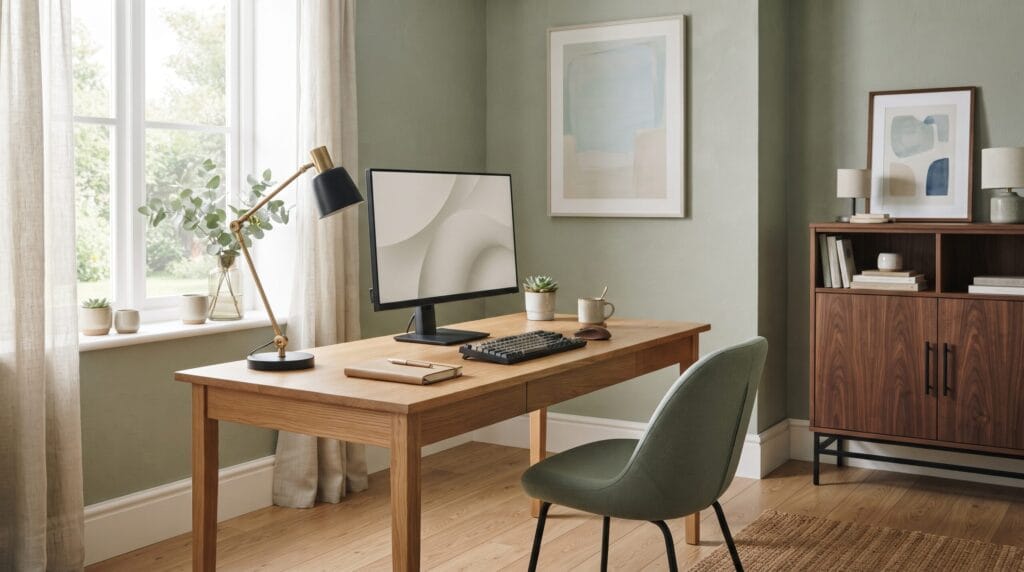
Color has a strong effect on the atmosphere of home office design ideas.
Try
- Warm white
- Sage
- Soft gray
- Beige
- Pale blue
- Charcoal accents
Add Warmth With
- Oak
- Walnut
- Brass
- Black metal
Why It Works
A restrained palette reduces visual distraction while still giving the room character.
12. Add One Strong Artwork Piece
Artwork can make a home office feel finished.
Good Locations
- Behind the desk
- Opposite the desk
- Above a credenza
- Beside shelving
Choose
Something visually interesting but not overly distracting.
Why It Works
One larger piece often creates more impact than many small decorations.
13. Add Greenery Near the Workspace
Plants can soften technology-heavy rooms.
Use
- One floor plant
- Small desk plant
- Hanging plant
- Branch arrangement
Choose for the Light
Select plants based on the actual conditions of the room.
Why It Works
Greenery adds natural color and texture.
14. Improve the Video Call Background
Video calls are part of many modern home office design ideas.
Keep the Background
- Simple
- Well lit
- Organized
- Professional
Good Elements
- Books
- Artwork
- Closed cabinet
- Plant
- Neutral wall
Avoid
Busy shelves, visible laundry, or strong backlighting.
15. Add Soft Materials for Better Comfort
Hard office surfaces can make a room feel cold.
Add
- Rug
- Curtains
- Upholstered chair
- Fabric storage box
- Cushion
Why It Works
Textiles add visual softness and can also help reduce harsh echoes.
16. Consider Simple Acoustic Improvements
Noise can reduce concentration.
Try
- Rug
- Curtains
- Upholstered furniture
- Bookshelves
- Acoustic panels where appropriate
For Shared Homes
Place the desk away from noisy circulation when possible.
Why It Works
Reducing echo and outside distraction can make focused work easier.
17. Create a Secondary Reading or Thinking Spot
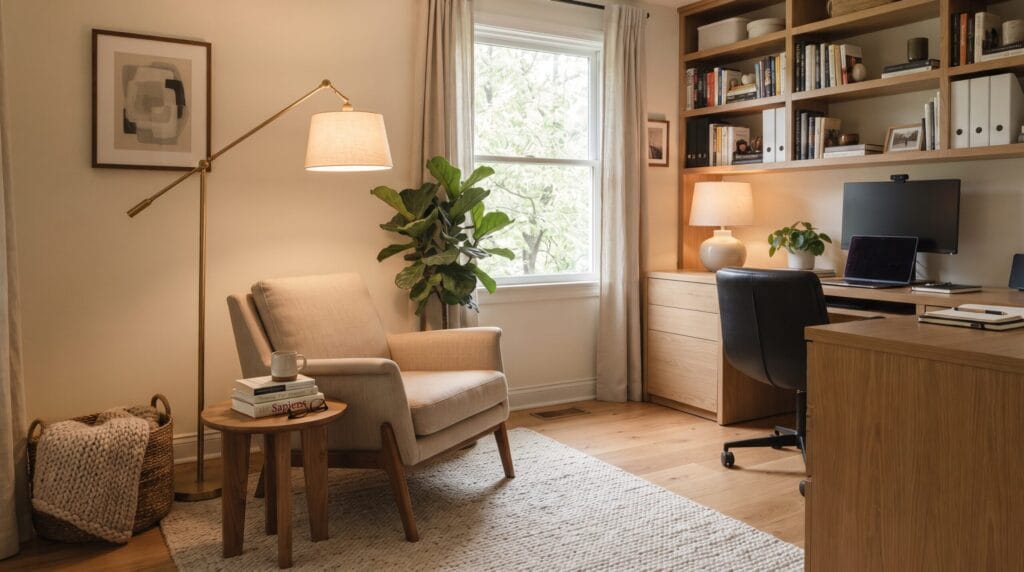
Not every task needs to happen at the desk.
Add
- Comfortable chair
- Small side table
- Floor lamp
Use It For
- Reading
- Planning
- Calls
- Reviewing documents
- Breaks
Why It Works
Changing posture and position can make the office more flexible.
18. Use Home Office Design Ideas in Small Spaces
A productive office does not need a dedicated room.
Good Locations
- Bedroom corner
- Living room niche
- Hallway alcove
- Closet office
- Guest room
Use
- Slim desk
- Wall-mounted shelves
- Vertical storage
- Compact task lamp
- Closed cabinet
Why It Works
A focused work zone can be created without consuming an entire room.
19. Create a Home Office on a Budget
Better function does not always require expensive furniture.
Free Improvements
- Rearrange the desk
- Clear the surface
- Improve cable routing
- Move a lamp into the room
- Remove unused decor
Low-Cost Upgrades
- Desk lamp
- Monitor stand
- Storage boxes
- Cable clips
- Cushion
- Secondhand cabinet
Save For
- Chair
- Desk
- Monitor
- Lighting
- Storage
20. Edit the Office Before Adding More
The final and most important of these home office design ideas is editing.
Review
- Desktop
- Shelves
- Drawers
- Floor area
- Cable routes
- Wall decor
Ask
- Do I use this every week?
- Does it support my work?
- Is it creating visual distraction?
- Is the scale right?
- Can it be stored elsewhere?
- Would the room work better with less?
Why It Works
A productive workspace usually needs fewer distractions, not more accessories.
Home Office Design Ideas by Work Type
| Work Type | Main Priority | Useful Feature | Best Upgrade |
| Writing | Focus and comfort | Quiet desk zone | Better chair and task lamp |
| Design | Screen and surface space | Large desk | Monitor arm |
| Video calls | Lighting and background | Clean wall or shelving | Front-facing light |
| Finance | Screen organization | Multiple monitors | Cable management |
| Creative work | Flexible surfaces | Storage and pinboard | Larger worktop |
| Freelancing | Multipurpose use | Video call setup | Closed storage |
| Study | Reading and writing | Bookshelves | Good task lighting |
Home Office Design Ideas by Budget
| Budget | Best Improvements | Typical Impact |
| $0 | Rearrange, declutter, improve cable routing | High when layout is poor |
| Under $100 | Task lamp, monitor stand, organizers | Quick functional improvement |
| $100-$500 | Chair, storage, rug, shelves | Strong comfort upgrade |
| $500-$1,500 | Desk, monitor, chair, lighting | Major transformation |
| $1,500+ | Built-ins, acoustic work, custom furniture | Long-term workspace upgrade |
Costs vary by region, brand, room size, and equipment requirements.
Desk Layouts Compared
| Layout | Best For | Main Advantage | Consideration |
| Desk against wall | Small rooms | Space efficient | Can feel visually closed |
| Desk facing room | Dedicated office | Strong professional feel | Needs cable planning |
| Desk near window | Daylight | Pleasant work environment | Manage glare |
| Corner desk | Multiple screens | More surface area | Uses more floor space |
| Wall-mounted desk | Very small spaces | Minimal footprint | Limited storage |
| Standing desk | Position changes | Adjustable working height | Requires good cable setup |
Comfortable Home Office Color Palettes
Warm Minimal
- Warm white
- Pale oak
- Beige
- Charcoal
- Soft black
Calm Green
- Cream
- Sage
- Walnut
- Stone
- Brass
Professional Blue
- Warm white
- Dusty blue
- Navy
- Oak
- Gray
Dark Focus
- Greige
- Walnut
- Deep charcoal
- Camel
- Bronze
How to Make a Home Office Look More Expensive
Use a Larger Desk Lamp
A properly scaled lamp looks more intentional.
Hide Cables
Cable management immediately improves visual quality.
Use Closed Storage
Clear surfaces make the room feel more polished.
Choose Fewer Accessories
One artwork, a plant, and a few useful objects are often enough.
Repeat Materials
Use the same wood or metal finish in several places.
Add a Rug
A correctly sized rug can make the workspace feel like a complete room.
Home Office Design Ideas for Renters
Renters can create a strong office without permanent changes.
Use
- Freestanding desk
- Drawer unit
- Task lamp
- Rug
- Freestanding shelves
- Portable monitor arm
- Plants
- Approved artwork mounting
Check the Lease Before
- Drilling
- Painting
- Changing fixtures
- Attaching shelves
Choose Portable Investments
A good chair, desk, lamp, monitor, and storage cabinet can move with you.
Common Home Office Design Mistakes
Choosing Style Over Comfort
A beautiful chair is not useful if it causes discomfort.
Using a Desk That Is Too Small
Surface crowding makes work harder.
Ignoring Monitor Height
Poor screen positioning can encourage awkward posture.
Relying on One Light Source
Layered lighting is more comfortable.
Letting Cables Stay Visible
Loose cables create clutter and make cleaning harder.
Using Too Much Open Storage
Not everything needs to be displayed.
Ignoring Video Call Backgrounds
A distracting background can make the workspace feel less professional.
Overdecorating
Too many accessories compete for attention.
Home Office Design Ideas Checklist
Use this home office design ideas checklist:
- The desk location supports natural light.
- Screen glare is controlled.
- The desk is deep enough for equipment.
- The chair supports comfortable work.
- The monitor is positioned appropriately.
- A task lamp supports detailed work.
- Lighting comes from multiple sources.
- Frequently used items are easy to reach.
- Closed storage hides visual clutter.
- Shelves remain edited.
- Cables are routed cleanly.
- The color palette feels calm.
- Artwork does not distract from work.
- Greenery suits the available light.
- Video call backgrounds are organized.
- Soft materials improve comfort.
- Noise and echo are considered.
- Small spaces use vertical storage.
- Budget is prioritized around comfort first.
- The office feels focused rather than crowded.
Frequently Asked Questions
What Are the Best Home Office Design Ideas for Beginners?
Start with desk placement, a supportive chair, good monitor height, layered lighting, closed storage, and simple cable management.
Where Should a Home Office Desk Be Placed?
Place it where you can access useful daylight without strong glare on the screen. A position perpendicular to a window often works well.
What Color Is Best for a Productive Home Office?
Warm white, sage, soft gray, pale blue, beige, and controlled darker accents can all work well. The best choice depends on the room’s light and your preference.
How Can I Make a Small Home Office More Comfortable?
Use a slim desk, supportive chair, wall-mounted or vertical storage, good task lighting, cable management, and fewer decorative objects.
What Should I Spend the Most Money On?
Prioritize the chair, desk, monitor setup, and lighting because they directly affect daily comfort and productivity.
How Can I Make My Home Office Look Professional for Video Calls?
Use a simple background, balanced front lighting, organized shelves or closed storage, one artwork, and avoid strong windows directly behind you.
Can Renters Create a Good Home Office?
Yes. Freestanding furniture, lamps, rugs, portable storage, monitor stands, plants, and approved wall decor can create a complete workspace without permanent renovation.
Conclusion
The best home office design ideas create a workspace that supports both productivity and comfort through better ergonomics, lighting, storage, technology, and visual calm.
Start with the basics. Place the desk carefully, choose a supportive chair, position the monitor at a comfortable height, and make sure the work surface is large enough for your equipment. Then add task lighting, closed storage, and simple cable management.
Use color, artwork, greenery, rugs, and curtains to make the room feel comfortable without turning it into a decorative distraction. If the office is small, use vertical storage and multifunctional furniture to preserve floor space.
Most importantly, design around your real workday. The best home office is not the one with the most accessories. It is the one that makes focused work easier, reduces friction, and still feels comfortable after several hours.
When ergonomics, lighting, organization, acoustics, and thoughtful styling work together, a home office can become one of the most productive and enjoyable spaces in the home.
Also Read: “21 Cozy Home Decor Ideas for a Warm and Comfortable Space“